



Analysis of Abnormal Reset Causes in Laser Cutting Machines
Laser cutting machines are commonly used processing equipment in modern manufacturing. During operation, they often encounter troublesome issues, particularly abnormal machine reset functions. This is a concern shared by many users. So, what should we do when faced with such situations? Below, Top Optics Laser provides a brief analysis of the causes behind abnormal laser cutting machine resets.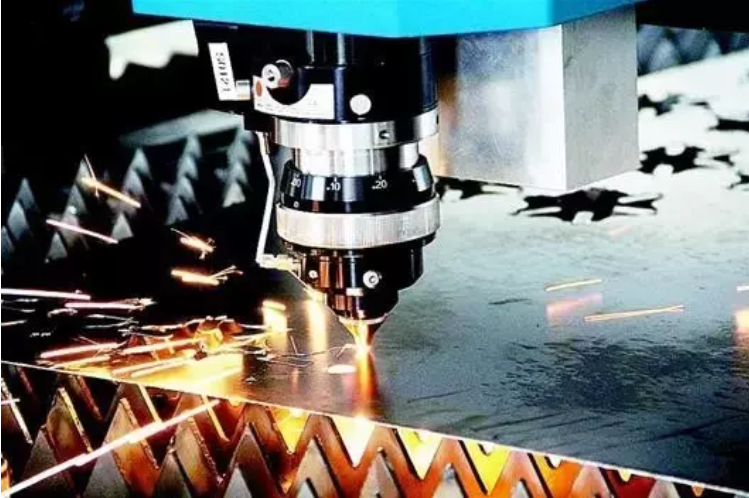
Laser cutting machines require careful attention to numerous precautions since their initial use. Not only the operational process but also the underlying technology demands a certain level of understanding. Common issues like engraving errors and initialization failures often occur, necessitating data corrections to resolve them.
Laser cutting machine engraving omissions, incorrect initialization, sent data (correction); reversed operation sequence (re-input); electrostatic interference (check if ground wire is loose); misaligned or incomplete edge cleaning, verify software parameter settings (reset); computer system error (reinstall OS and software); Check if left/right belts have consistent tension or if rear belt is too loose (tighten belts); inspect belts or pulleys for slippage or tooth skipping (tighten pulleys or belts); verify beam parallelism (readjust left/right belts).
Common causes for abnormal laser cutter reset include the following aspects:
The laser cutting machine's X-axis and Y-axis move in opposite directions and collide with the side end. This phenomenon requires checking whether the mainboard parameters are incorrect. Shut down the machine to inspect the mainboard parameter settings for issues.
The laser cutting machine's control panel displays normally, but the X-axis and Y-axis remain stationary. Try disconnecting the sensor terminals on the mainboard to see if the machine responds. If it does, consider replacing the sensor.
If the gantry resets normally but the X-axis fails to reset, this may indicate a broken motor wire or a broken motor shaft. Replace the motor wire or the small motor.
During reset, the direction is correct, but upon reaching the end point, the X-axis or Y-axis fails to stop (first check the mainboard parameters). If the parameters are correct, inspect the mainboard or sensors and replace them as needed to resolve the issue.